
Pictius
▸ image editor in your browser
Layers, masks and AI,
nothing uploaded.
An image editor with layers, masks, smart objects, retouching tools, filters and AI that removes objects and backgrounds. It opens and saves PSD files, works offline and installs as an app. All of it runs on your device: your images never leave your computer.
Pictius is a free image editor that runs in the browser: layers, masks, selections, retouching, filters and AI, behind plain menus and the keyboard shortcuts desktop editors taught us. There is no account and nothing to install, although it can be installed as an app.
It started as Drawinx and is the sister app of Auditius, the audio editor, and it follows the same rule: the files you open never leave your computer.
Nothing is uploaded
There is no server behind the editor, only static files. Opening an image, painting, filtering, running the AI and exporting all happen on the device. A service worker caches the editor, so it opens and works without a connection, and once installed it opens PSD, PNG, JPG, WebP and .pictius files straight from the system.
Work is saved in its own .pictius format, which keeps every layer, mask, path, channel, guide and smart object editable. Each open document is also autosaved in the browser a couple of seconds after you stop editing, and a session that closed without saving is offered back the next time.
Layers that stay editable
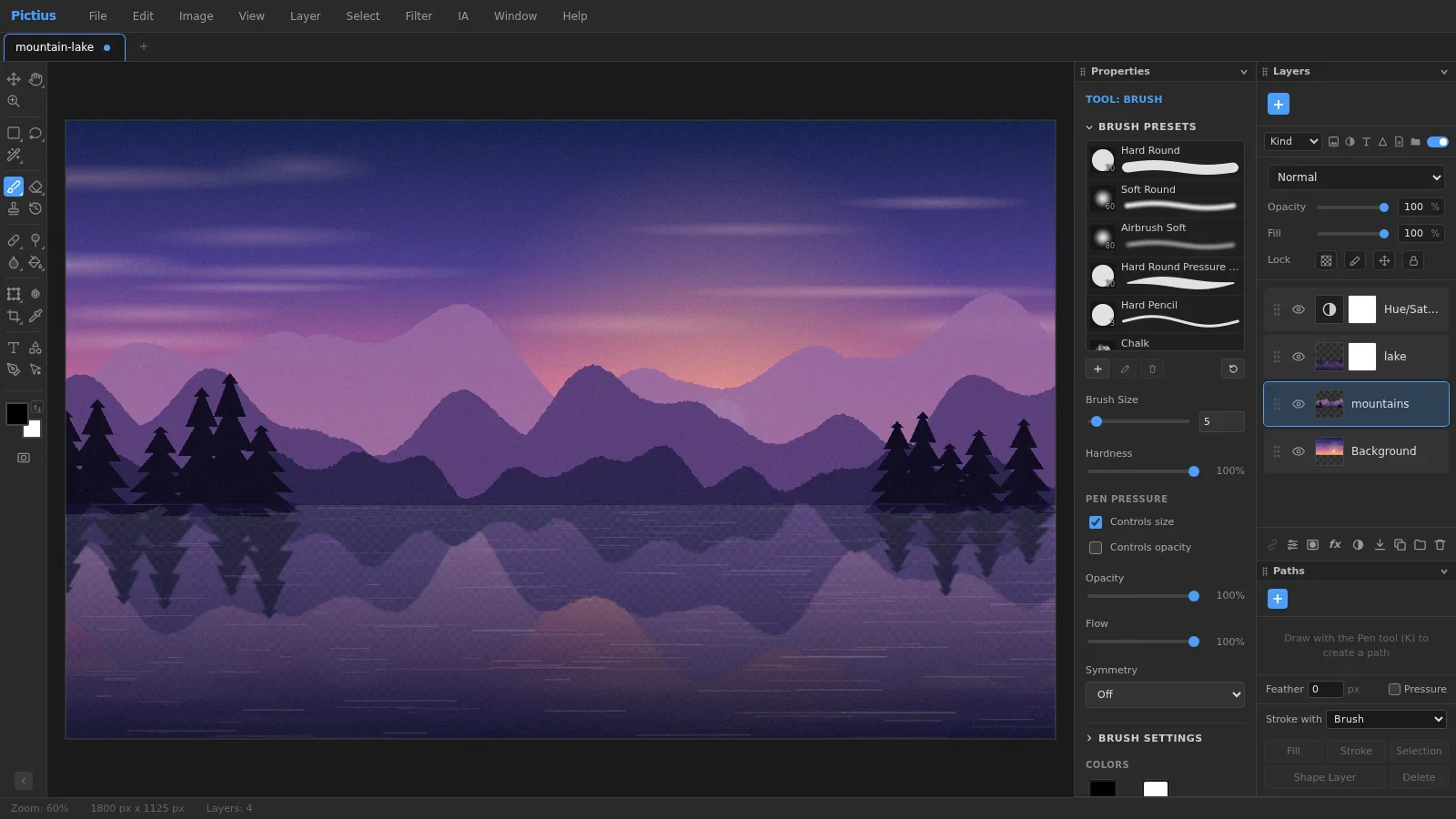
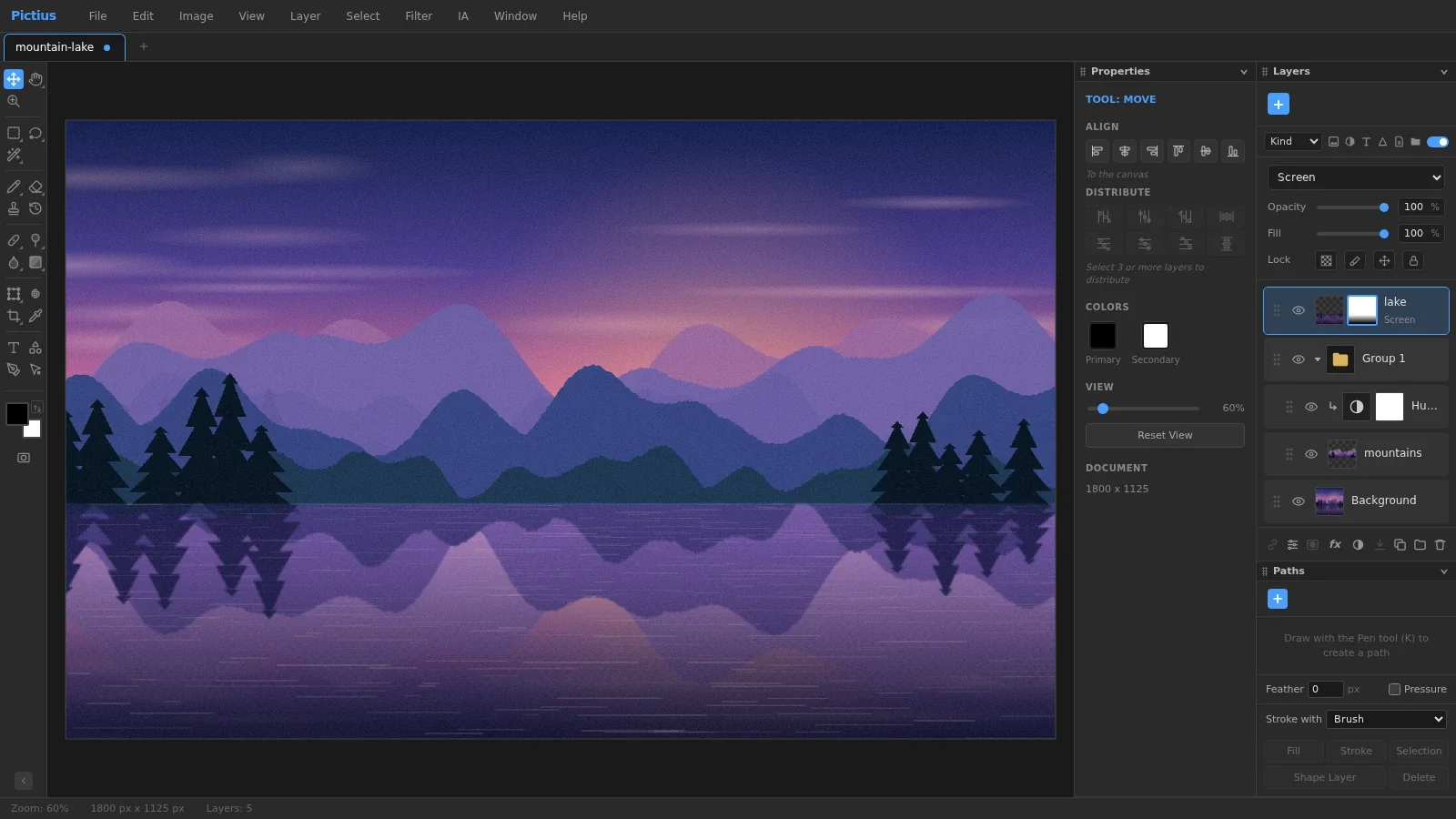
- Blend modes, opacity and fill opacity, layer masks, groups with Pass Through, clipping masks, partial locks and linked layers.
- Adjustment layers (Levels, Curves, Hue/Saturation, Color Balance, Gradient Map, Selective Color and more) and fill layers with a color, a gradient or a pattern.
- Layer styles, from drop shadow and stroke to bevel and gradient overlay, plus Blend If.
- Shape layers and text layers that stay editable, with per-character styles, paragraphs and a Character and Paragraph panel.
- Smart objects: transforms always resample from the embedded original, so scaling down and up again loses nothing, and smart filters keep their settings and their own mask.
- Layer comps, and a history panel with whole-document undo under a memory budget.
Selections
Underneath, the selection is a single mask the size of the document, so every tool feeds the same thing and soft edges are not lost on the way. Marquee, lasso, polygon and magnetic lasso, Magic Wand, Quick Selection, Color Range and Select Subject create it; Feather, Expand, Smooth, Grow and Similar change it; alpha channels and Quick Mask store it and let you paint it.
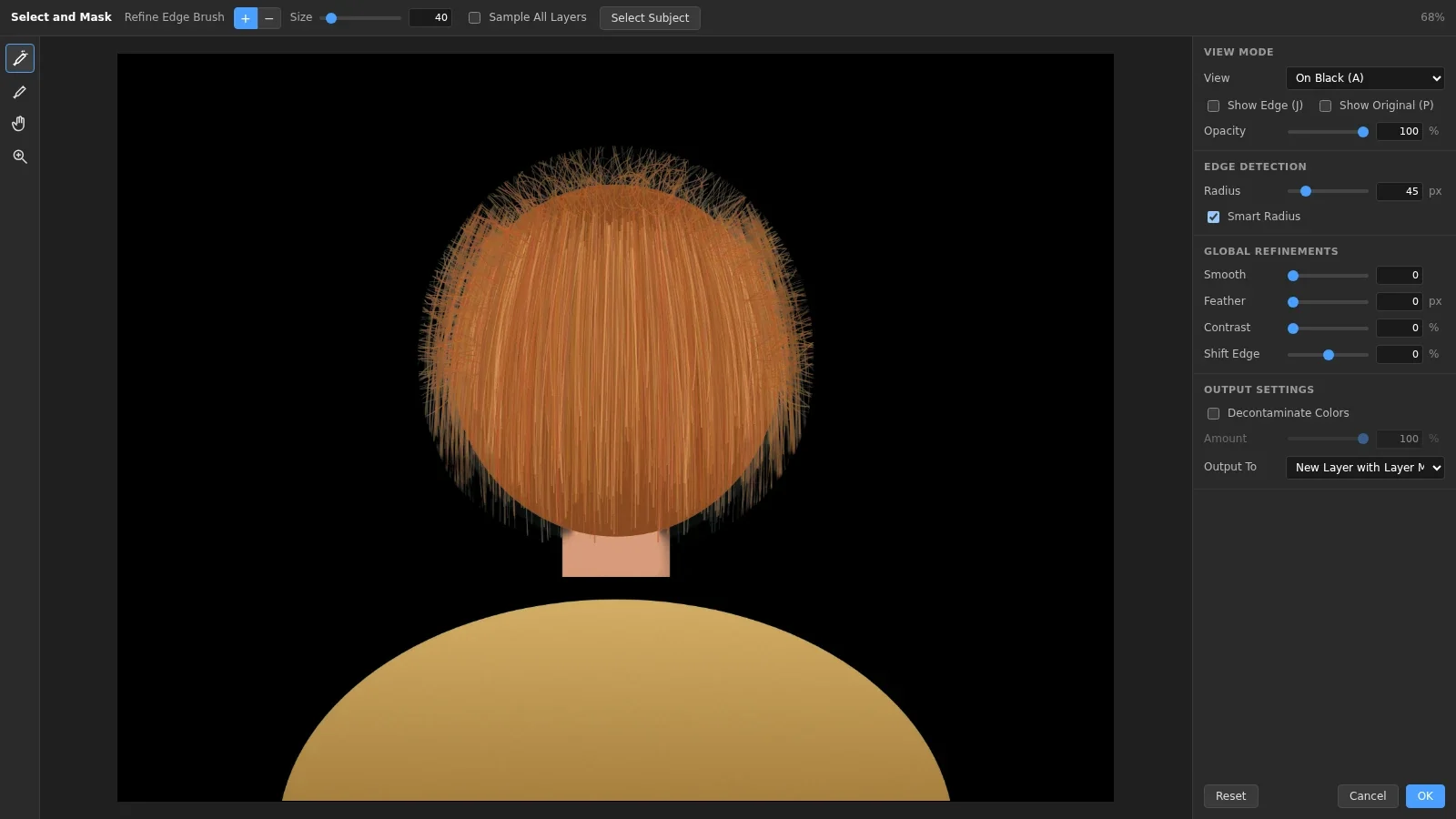
Select and Mask is a workspace of its own for hair and soft edges: seven views, a Refine Edge Brush, a radius that adapts to hard and soft edges, smoothing, feathering, contrast and shift edge, color decontamination, and output to a selection, a mask, a new layer or a new document.
Painting, retouching and filters
- A brush engine with tip shape, shape dynamics, scattering and transfer, sampled tips, pen pressure, flow and symmetry, with presets and Define Brush Preset.
- Spot Healing, Healing, Patch, Clone Stamp, Red Eye, Dodge, Burn, Sponge, Blur, Sharpen, Smudge and History Brush.
- Free Transform with distort, perspective and warp, Liquify, Crop with straighten, Perspective Crop, and the Pen tool with paths.
- A filter gallery (blur, sharpen, noise, distort, render, stylize and more) with a zoomable preview, and Last Filter to repeat one. Large images are filtered in a worker with progress and cancel.
- Rulers, guides, a grid, snapping and smart guides.
- Actions that record and replay edits, and Batch to run one over many files into a ZIP or a folder.
AI on your machine
The AI is optional and local.
- AI Fill removes objects and fills holes with MI-GAN (28 MB, MIT) or LaMa (208 MB, Apache-2.0). The model is downloaded only after you confirm it, with its size and licence shown, and kept in the browser cache. It runs on ONNX Runtime Web in a worker, on the GPU through WebGPU when there is one and on WebAssembly otherwise.
- Remove background, Select Subject and a portrait-mode background blur segment the image on the device, and object, face and pose detection run on TensorFlow.js and MediaPipe.
- Content-Aware Fill needs no model: it is a multiscale patch synthesis I wrote, deterministic, and it runs in a worker with progress and cancel when the hole is large.
Files in and out
It opens .pictius, PSD and the usual image formats. PSD files keep their groups, masks, adjustment and fill layers, editable text, shapes, smart objects, layer styles and guides in both directions, and whatever cannot be carried over is reported by name instead of dropped silently.
Exports go to PNG, JPG, WebP, PSD, SVG, GIF, PDF and TIFF. The SVG keeps shapes as paths and text as text, the GIF can be animated with one frame per layer, and the SVG, GIF, PDF, TIFF and ZIP writers are my own, with no libraries.
How it is built
SvelteKit and Svelte 5 on the Canvas 2D API. Every layer is an OffscreenCanvas, and the compositor draws groups, clipping and adjustment layers as a tree, reading what lies underneath.
Heavy work runs off the main thread. PSD reading and writing, filters, Content-Aware Fill, GIF encoding and AI Fill each have their own Web Worker, and the PSD library is only loaded the first time a PSD is opened.
It fits the rules of a static host. The ONNX Runtime binary weighs 27 MiB, over the 25 MiB per-file limit, so it ships gzipped at about 6 MB and is unpacked in the worker. The landing page and the guides are rendered at build time, and the editor is mounted on top of them only when someone opens it.
Every bug found in testing became a regression test, and it ships with 125 end-to-end tests in Playwright.
Status
Online since October 2026 at pictius.com. The site and its 16 guides are in English and Spanish; the editor interface is in English.